Web Tools
View this page as MarkdownBest for pulling data out of Politigraph with a UI that helps you build queries, view results, and download the data right away without writing any code. There are 2 tools to choose from.
- Query Builder: best for people just getting started with Politigraph. Simply click to pick the data you want to build a GraphQL query and view the result with a Visualization.
- GraphQL Playground: for more advanced users. Write more complex queries and use the full power of GraphQL.
Query Builder
Section titled “Query Builder”-
Open the Query Builder and pick a starting node you are interested in, such as
peopleorbills -
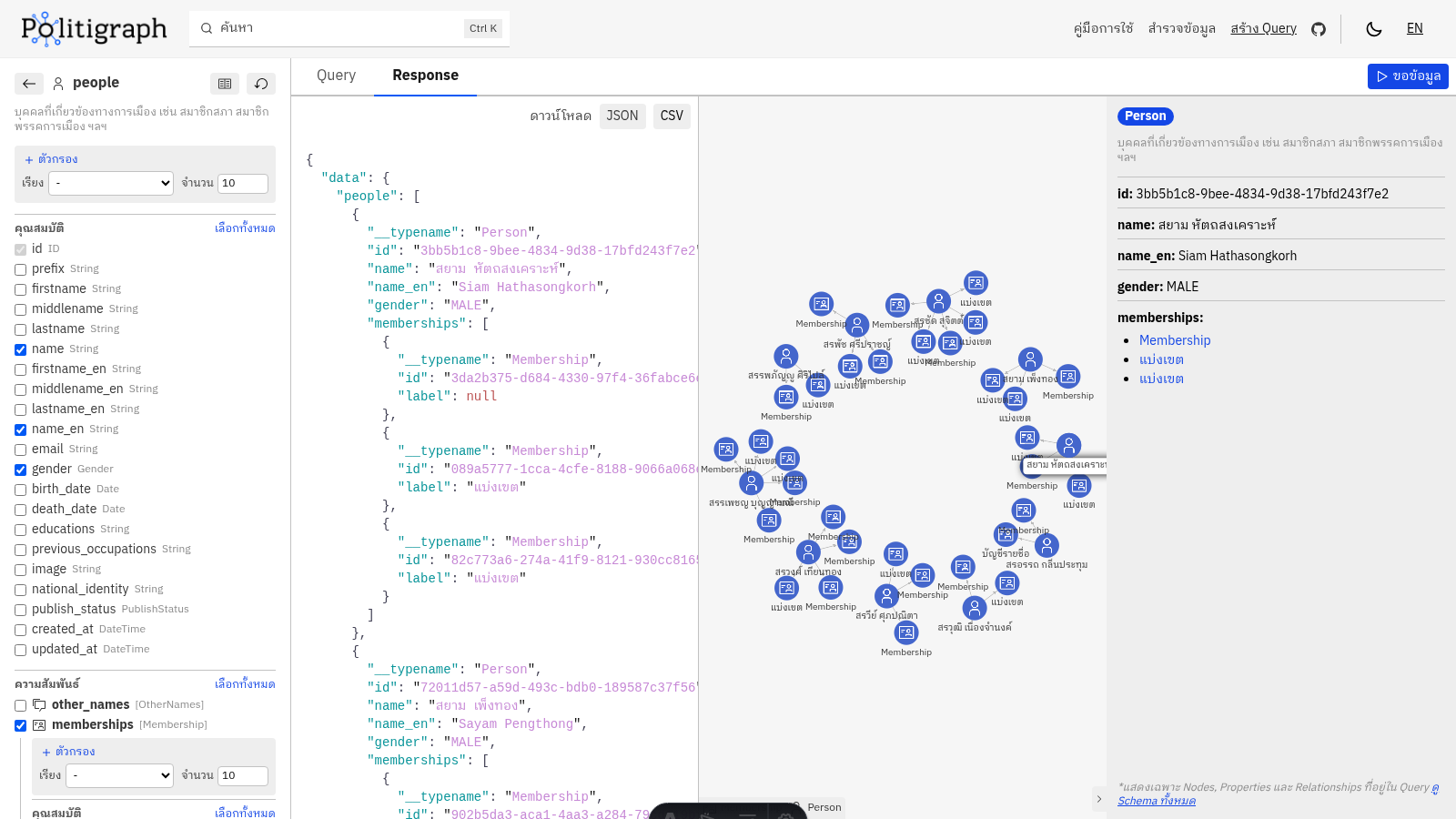
Choose the data you want in the left panel
- Properties: pick the properties you need
- Relationships: tick related data, such as the
membershipsofpeople, then pick its properties too - Filter, Sort and Limit: narrow the result down to the data you need
-
Press Request data to fetch the data. The result appears in the Response tab as JSON or as a Visualization.
-
Download the result as JSON or CSV at the top right of the result
If the data has multiple levels of nested relationships, the CSV download is a ZIP. Each CSV file inside holds one node type, linked together by
id. -
In the Query tab, copy the Link to share the query so others can open it, or copy the Code of the GraphQL query to use in the GraphQL API or the GraphQL Playground
GraphQL Playground
Section titled “GraphQL Playground”Best for people who are comfortable with GraphQL, or who already have a query from elsewhere, such as from AI.
-
Open the GraphQL Playground
-
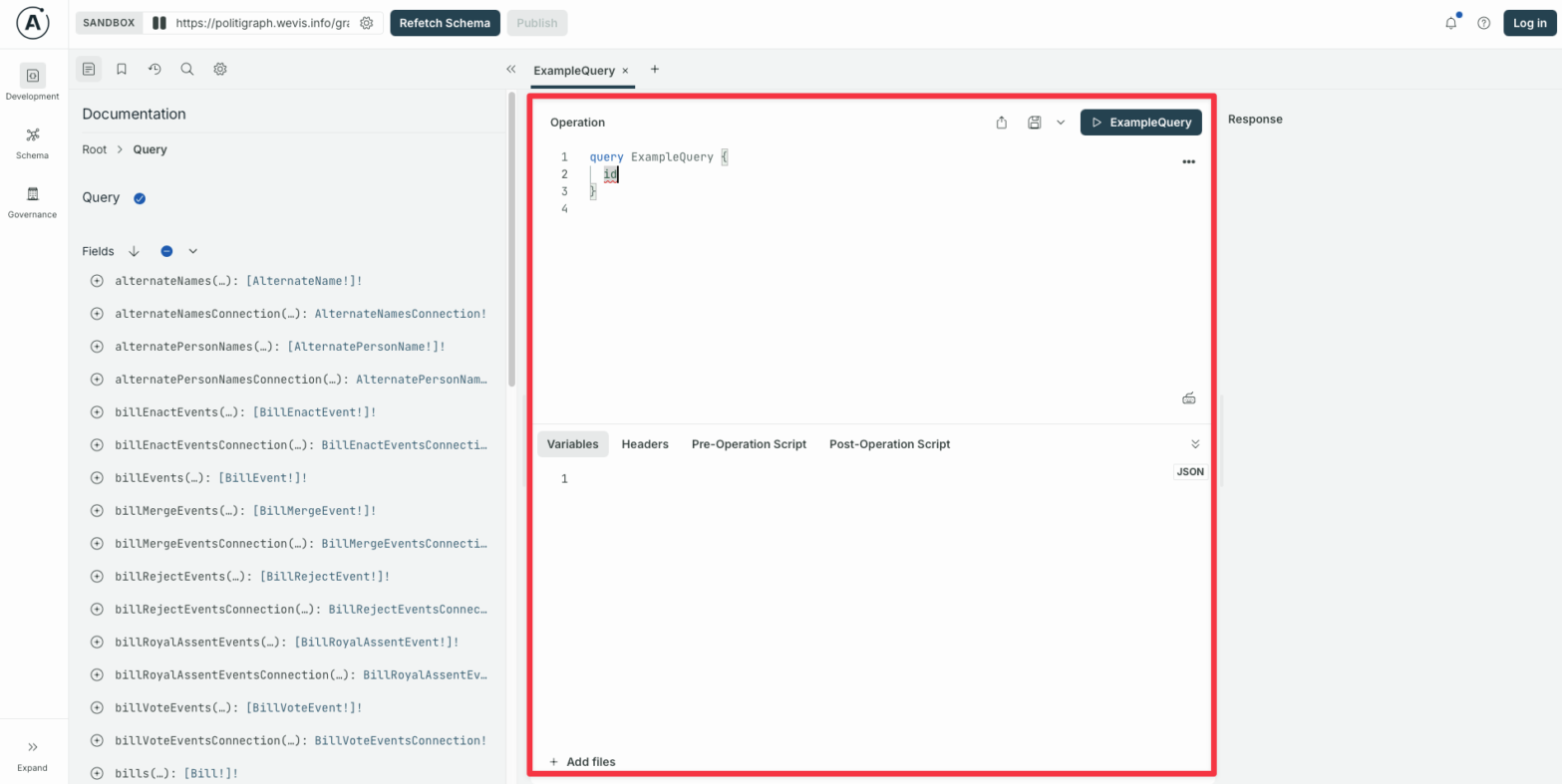
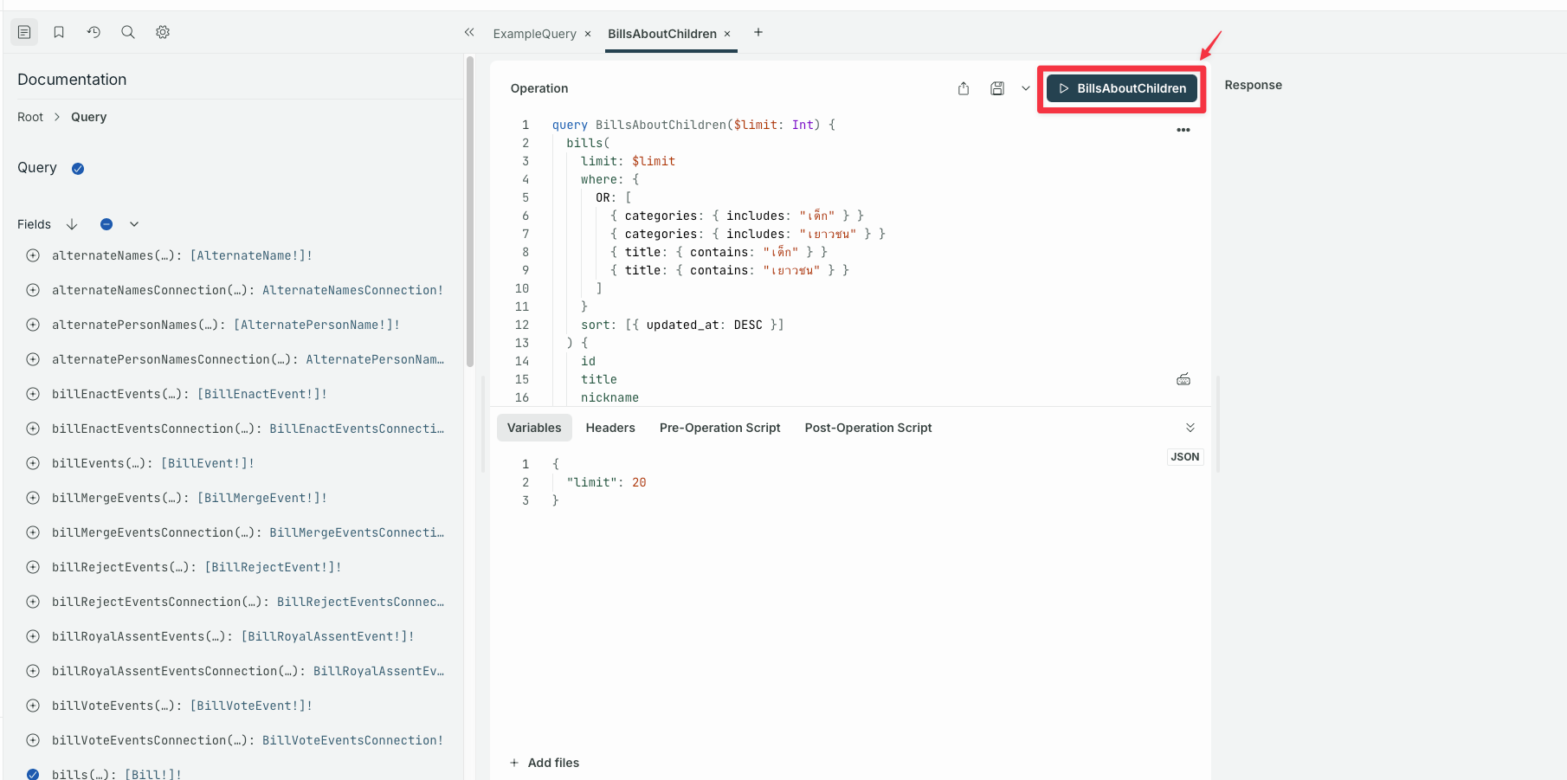
Write your query in the boxed area shown below
-
Press ▶️ to run the query
-
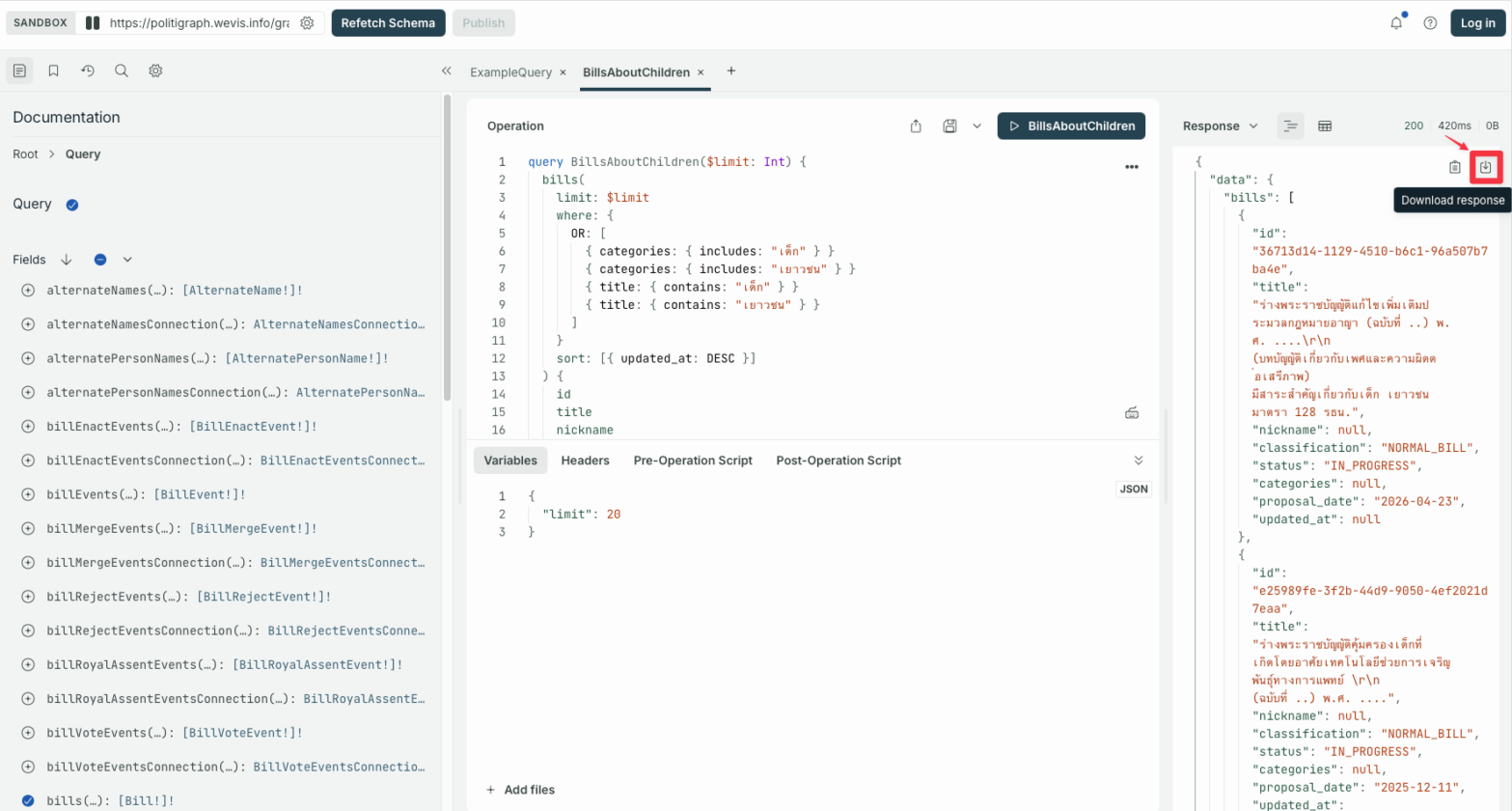
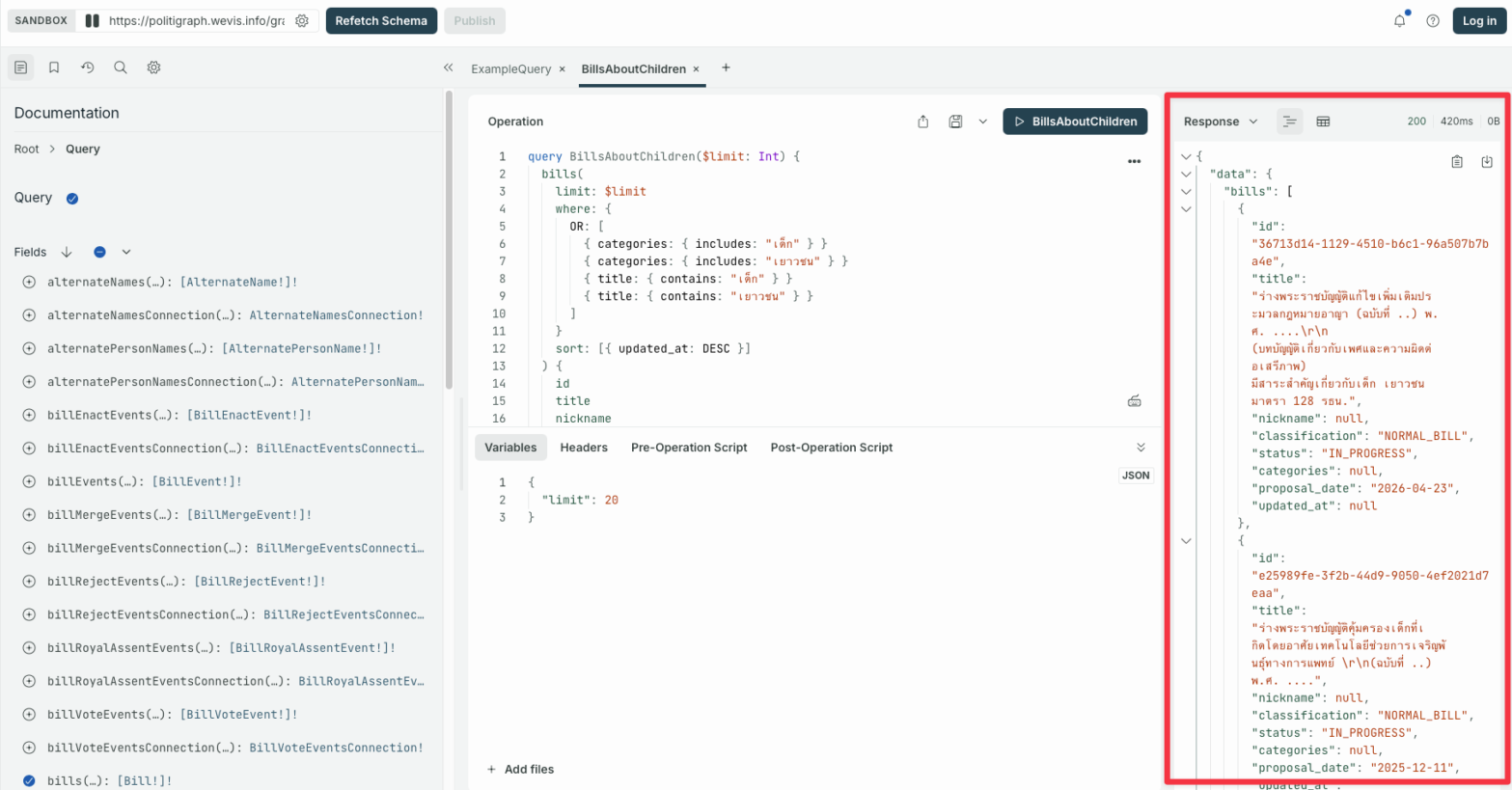
The data appears in the Response panel
-
Press the download button to export the data as JSON